We’re introducing a new set of updates focused on better visibility, faster navigation, and smoother workflows across Allfred. This release brings powerful Starred tasks, watched tasks, or pinned projects, new time report dashboard and improved tables to help you stay organized and in control.
Below is an overview of what’s new:
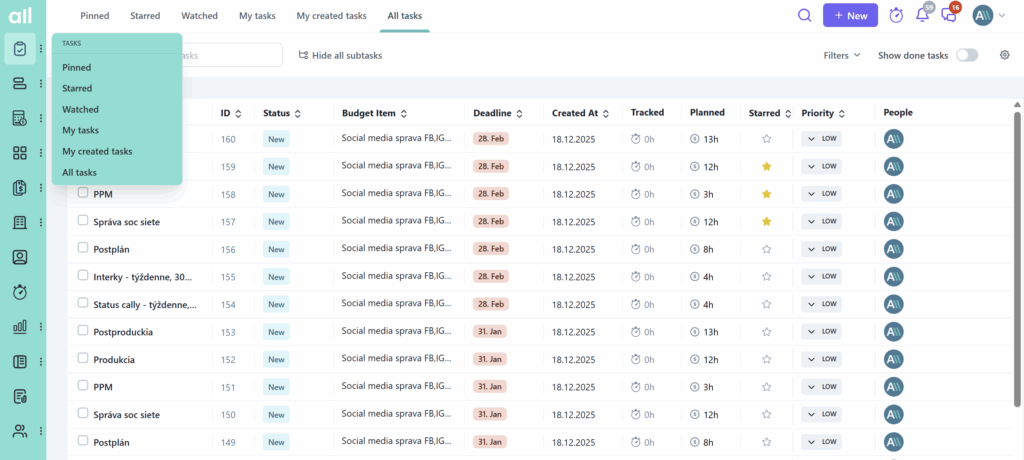
New tabs for better task navigation: Starred tasks, Watched tasks, Pinned projects
Managing tasks across multiple projects can quickly become chaotic. With the introduction of Watched, Starred, and Pinned tabs, you now have a clearer way to track what matters, prioritize your work, and keep key projects visible across your team.
These tabs give you a structured layer on top of your tasks and projects, helping you reduce noise and focus only on what’s relevant.
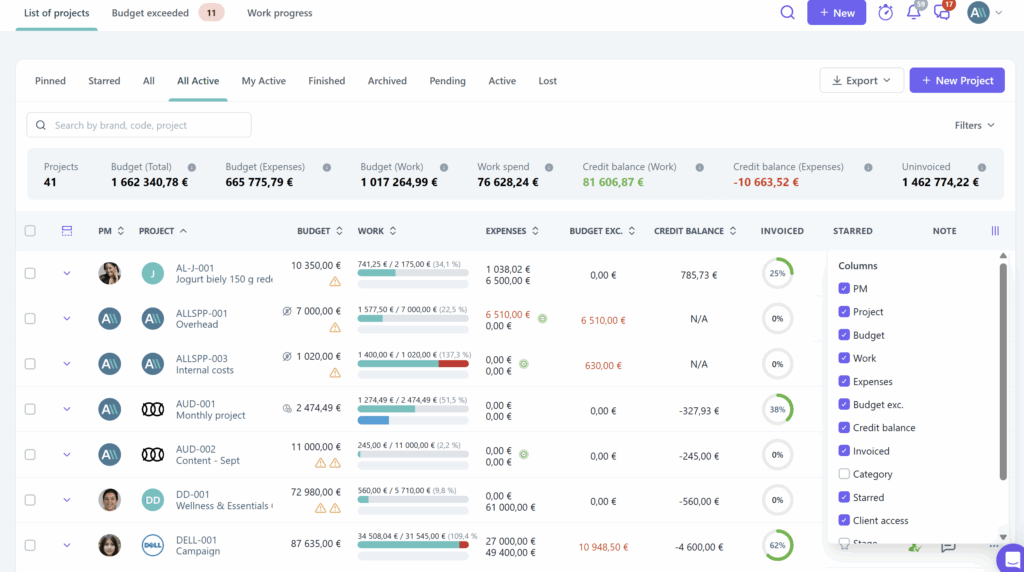
Customized Tables across Allfred
We’ve upgraded tables across the platform to make working with data faster and more intuitive. Whether you’re browsing tasks, projects, or financial data, tables now offer better readability and smoother interaction. This improvement is especially noticeable when working with larger datasets, where speed and clarity make a real difference.
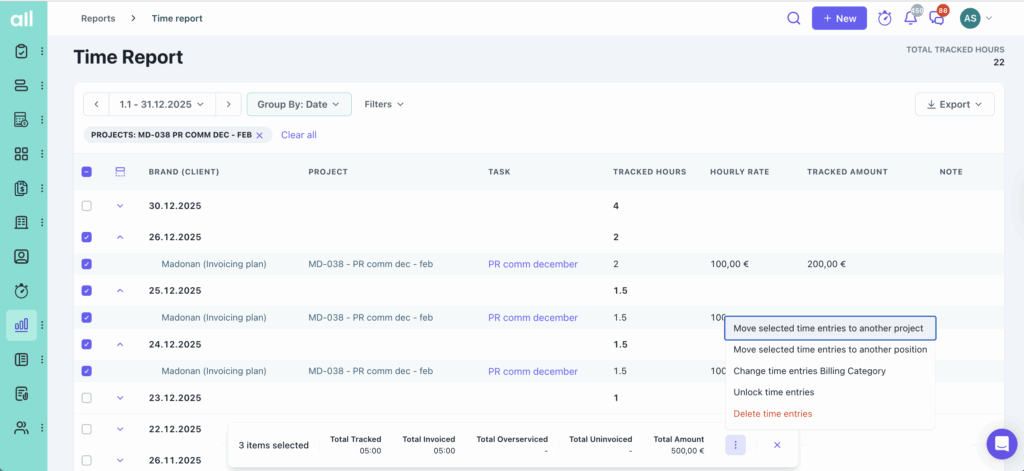
New Time Report Dashboard
The new time report dashboard gives you a clearer and more structured view of tracked time. It helps you analyze performance, understand time allocation, and access key insights faster.
This is a major step towards more data-driven project and team management.
Lock expenses to keep financial data consistent
We’ve introduced the ability to lock expenses, ensuring that finalized records remain unchanged. This is especially useful when closing financial periods or working with approved data.
You can now lock expenses once they are approved. It’s a simple way to keep your expense data reliable after final review.
Bulk delete in Expenses
Managing large numbers of expenses is now much easier. With the new bulk delete feature, you can remove multiple expenses at once, saving time and reducing repetitive actions.
Optional contact person in manual invoicing
Creating invoices is now more flexible. You no longer need to select a contact person when creating an invoice manually, allowing you to move faster in situations where this information isn’t required.
More control over client & project display in Quotes
We’ve added new options to customize how client, brand, and project details appear in your PDF quotes. This is especially useful when creating cleaner outputs or adjusting documents for specific clients.
Reset billing address easily
You can now quickly reset the billing address, making it easier to correct mistakes or update billing details without unnecessary friction.
Access Time Reports directly from tracked time
You can now open Time Reports directly by clicking tracked time values in task detail, project overview, or task lists. This significantly speeds up navigation and gives you instant access to deeper insights.
New integration: Transakcio
For users in Slovakia, we’ve partnered with Transakcio to help manage transaction tax and simplify supplier payments. You can export payments directly from Allfred and prepare electronic batches in just a few clicks - without manual matching.
This update brings together improvements across navigation, reporting, and financial workflows. With better structure, faster access to data, and more flexibility, Allfred continues to help you stay focused and efficient in your daily work.