We’ve released a set of updates that make forecasting, planning and financial operations in Allfred more straightforward. This update focuses on clearer revenue forecasting, early visibility of planning conflicts, and several small improvements that reduce routine manual steps around invoices and expenses.
Below is an overview of what’s new 👇
🔮 Revenue Forecasting: See What’s Coming, Not Just What’s Happened
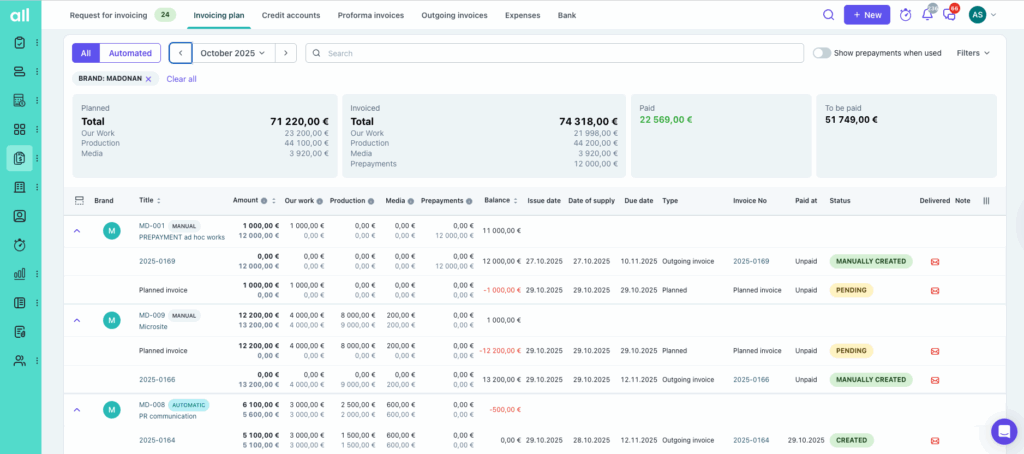
One of Allfred’s most-used financial views — the “All Invoicing Plan” — has just leveled up.
We’ve upgraded it into a full Invoicing Plan Dashboard that now provides revenue predictions across all your active projects.
What’s new:
- revenue forecasting of upcoming revenue based on your project invoicing plans
- precise status tracking: issued, pending, draft or planned invoicing
- one-click manual invoice creation directly from the dashboard
- categorisation by budget types for cleaner financial structure
- tracking of payments and prepayments, including their effect on the financial pipeline
It’s now easier than ever to understand how much revenue is coming in and when, helping you make the right staffing, budgeting and strategic decisions.
👉 Want more details? Check the full Invoicing Plan Dashboard guide in our Help Center.
⚠️ Smart Planning Conflict Alerts: No More Overlaps or Accidental Overbooking
Planning work while someone is on holiday?
Overlooking bookings across teams?
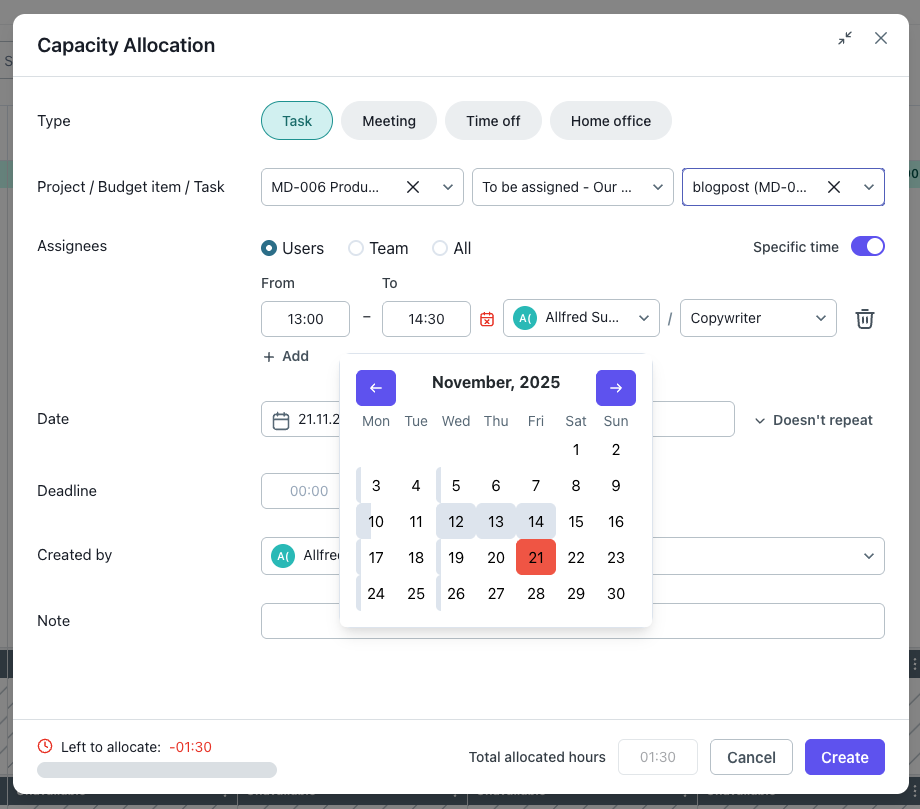
Allfred now actively alerts you to conflicts the moment they happen. When planning tasks or allocations, you’ll see a clear warning if:
- a teammate is on leave,
- the time overlaps with another task,
- or their availability has already been consumed.
Red indicators show overlapping time, while grey indicators show planned work that doesn’t conflict but still affects capacity. This gives team leads a cleaner, more intuitive way to plan realistically — without guesswork.
📥 Multi-Attachment Expense Import: Every Invoice, Every Receipt, Every Photo
Your collection email inbox just became far more powerful.
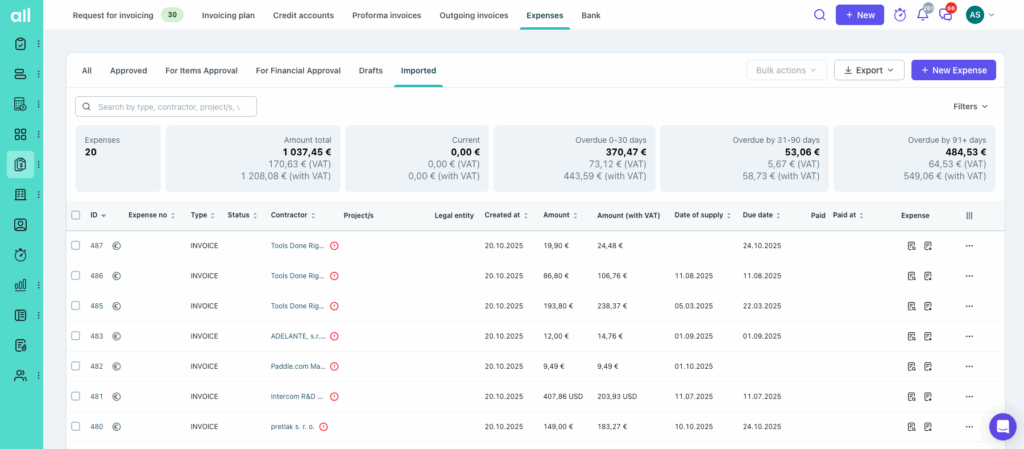
Previously, Allfred extracted only one document per email. Now, every attachment is processed — whether it’s:
- multiple invoices in a single email,
- a mix of PDFs and images,
- photos of receipts taken on the go.
Each attachment becomes its own expense draft, ready to review and complete.
This significantly speeds up the expense logging process and reduces the risk of something getting lost in someone’s inbox.
🗓️ Quick Date Editing on Invoices: Issue, Due, Supply & Paid Dates in Seconds
Working with invoices should be quick — and editing their dates is now even quicker.
Instead of opening each invoice separately, you can now:
- hover over any date in the invoice list,
- instantly edit the issue date, supply date, due date or paid-at date,
- see the change reflected across all linked documents and PDFs.
A small change that saves a surprisingly large amount of time.

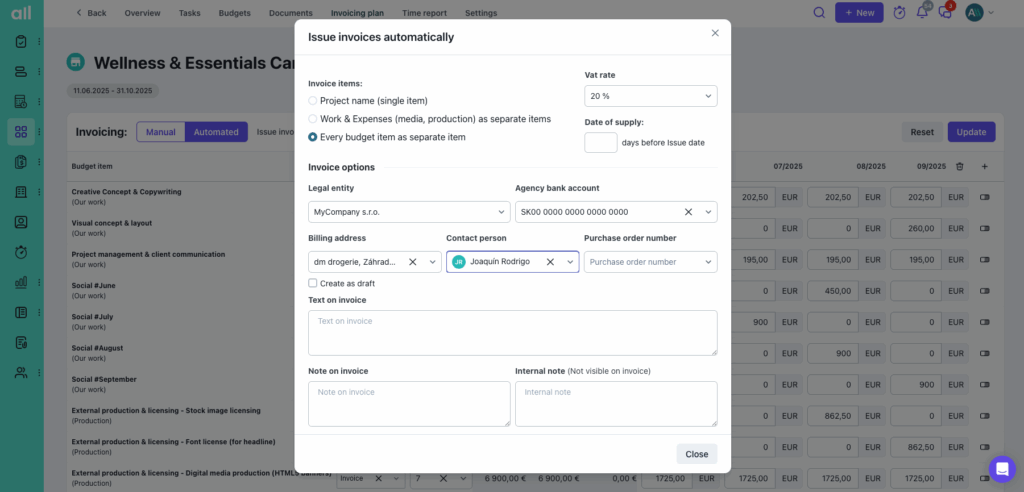
💱 Automated Invoicing Plan for Foreign Currencies Billing
Until now, automated invoicing plans worked only when billing in the same currency as the project setup.
That’s no longer a limitation.
Allfred can now create a full invoicing request even for foreign-currency billing.
When it’s time to issue the invoice, you simply select the correct exchange rate — the rest is handled.
This simplifies billing for international clients and removes unnecessary manual steps.